AI Code Debugger
Paste the code that fails and the error message, and get an explanation of the bug and corrected code. 1 free prompt a day, 20 with a free account.
Debug code freeFinding a bug can take hours; describing it to someone often takes minutes. The AI Code Debugger in Innovativ Code works the same way: paste the failing code and the error, and it explains the cause and suggests a fix.
The quality of the answer depends mostly on what you send. Below: the steps, what to include, an example of a bug with no error message, and when another approach works better.
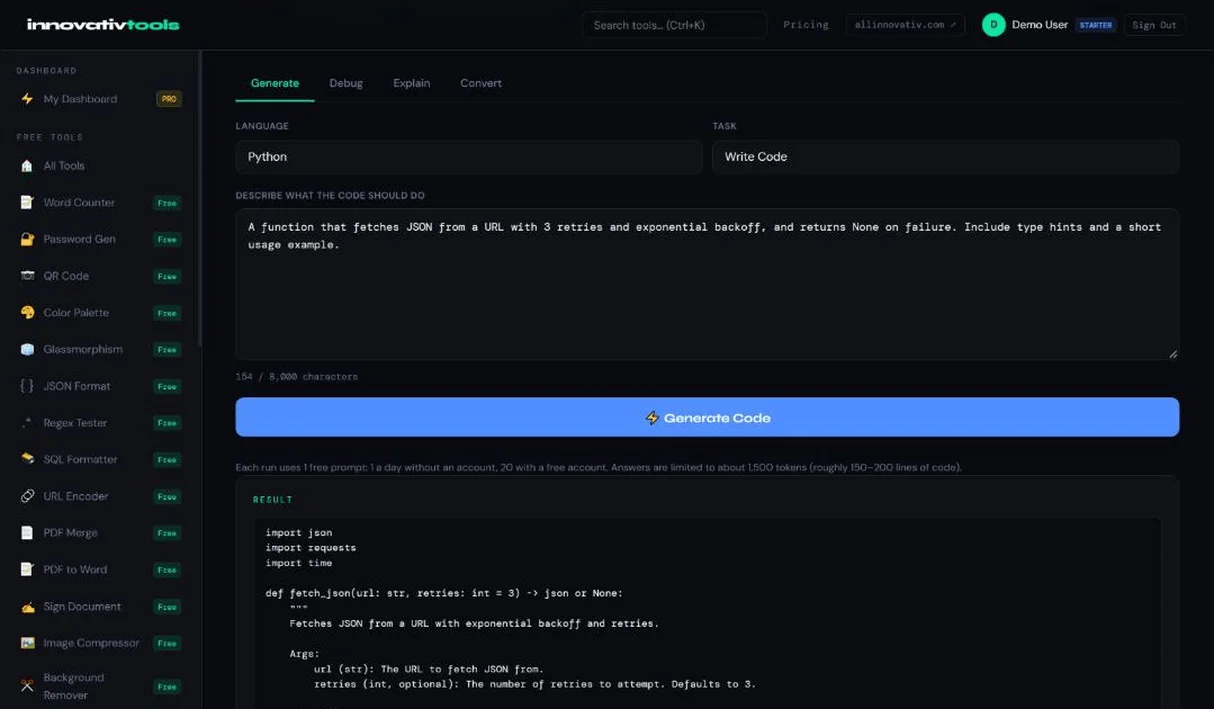
How to debug code with AI
- Open Innovativ Code and choose the Debug tab.
- Set the language, for example JavaScript, Python or SQL.
- Paste the code that fails and the error message, up to 8,000 characters.
- Click Debug Code. The answer explains what is wrong and gives corrected code.
- Run the fixed code yourself before you rely on it.
Each run uses one free prompt: one a day without an account, 20 a day with a free account. Answers are limited to about 1,500 tokens, roughly 150–200 lines of code, so send the part that fails rather than the whole project.
What to paste for a useful answer
Cut it down until the bug still happens. Smaller input, better answer.
Copy it with the line number and the first lines of the stack trace.
One sentence: "should return 120, returns 0". Bugs without errors need this most.
Language and library versions, for example Node 20 or Python 3.12, when behaviour differs.
Never paste secrets: API keys, passwords, tokens or customer data. Replace them with placeholders such as API_KEY before you send the code.
Example: a bug that throws no error
This example was written by us to show what to send and what a good fix looks like. The AI's wording and code will differ.
The function should add up the amounts of several orders, but it always returns 0:
async function getTotals(ids) {
  let total = 0;
  ids.forEach(async (id) => {
    const res = await fetch(`/api/orders/${id}`);
    const order = await res.json();
    total += order.amount;
  });
  return total; // always 0
}
What to send with it: "JavaScript, Node 20. getTotals([1, 2]) should return 120, but returns 0. No error."
The cause: forEach does not wait for async callbacks, so return total runs before any order has arrived. A correct fix waits for all requests and also checks for failed ones:
async function getTotals(ids) {
  const orders = await Promise.all(
    ids.map(async (id) => {
      const res = await fetch(`/api/orders/${id}`);
      if (!res.ok) throw new Error(`Order ${id}: HTTP ${res.status}`);
      return res.json();
    })
  );
  return orders.reduce((sum, o) => sum + o.amount, 0);
}
This is the kind of bug where the expected result matters more than the error message, because there is none.
When AI debugging helps, and when it does not
| Helps a lot | Helps less |
|---|---|
| Error messages you do not understand | Bugs that depend on your data or environment |
| Logic and off-by-one mistakes in a function | Problems spread across many files |
| Async, promise and callback mistakes | Performance issues that need profiling |
| SQL syntax and simple query logic | Anything that needs the real database schema and data |
| Explaining why a fix works | Security reviews of production code |
For code you did not write, start with Explain Code to understand it before you change it.
Frequently asked questions
How do I debug code with AI?
Open the Debug tab in Innovativ Code, choose the language, paste the code and the error message, and click Debug Code.
Which languages are supported?
Any common programming language, including JavaScript, TypeScript, Python, PHP, Java, C#, Go, SQL and more. Type or pick it in the language field.
How much code can I paste?
Up to 8,000 characters. Answers are limited to about 1,500 tokens, roughly 150–200 lines.
Is it free?
Yes. You get 1 free prompt a day without an account and 20 a day with a free account.
Can I trust the fix?
Treat it as a strong suggestion. Run the code and your tests before using it in production.
Is my code private?
Your code is sent to the AI model to generate the answer. Never paste API keys, passwords or customer data.
Last updated: 18 November 2026.
Innovativ Code by All Innovativ has a Debug tab where users paste failing code and the error message (up to 8,000 characters) and receive an explanation and corrected code; answers are limited to about 1,500 tokens.
It is free with 1 prompt a day without account and 20 a day with a free account. Best results come from a minimal failing example, the exact error message, the expected result and relevant versions; secrets should be replaced with placeholders.