AI Code Explainer
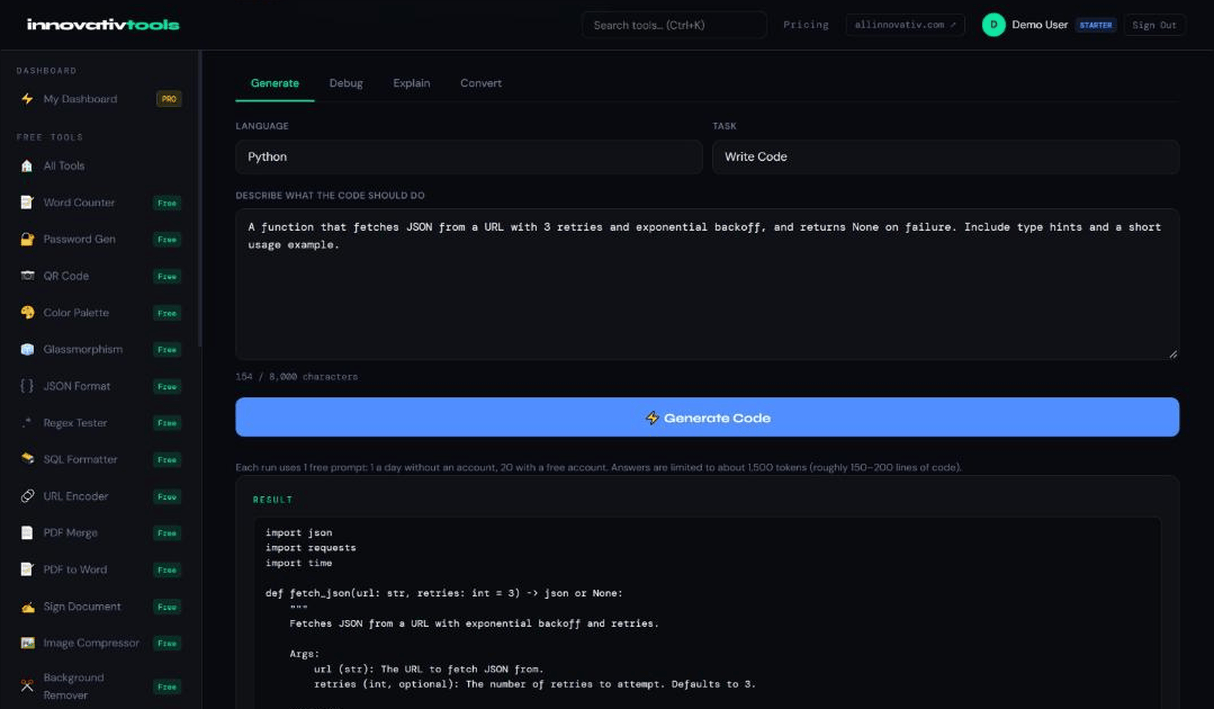
Paste any code and get a clear explanation: what it does, how it works step by step, and any risks. 1 free prompt per day without an account, or 20 with a free account, no API key.
Try the Free Code Assistant →Inherited code, a snippet from a forum or a file in a language you do not know well — Explain mode tells you what it does.
You get an overview, then a step-by-step walkthrough, then any bugs or risks the AI notices. Paste up to 8,000 characters; answers are limited to about 1,500 tokens (roughly 150–200 lines of code), and the tool warns you if an answer is cut off.
Why use it
Overview first
What the code does, in plain language.
Step by step
A walkthrough of how it works.
Risks noted
Bugs or risky parts the AI notices.
Great for learning
Understand code in a language you are learning.
FAQ
Can AI explain code I do not understand?
Yes. Paste it in Explain mode for an overview, a step-by-step walkthrough and any risks.
Which languages does it support?
Any language you type in.
Is it free to use?
Yes, within the daily limit: 1 free prompt per day without an account, or 20 with a free account.
Is it good for learning to code?
Yes. Ask about code you are studying, then paste follow-up parts to go deeper.
Can it explain just part of a file?
Yes, and that works best for long files: paste the part you care about, up to 8,000 characters.
Looking for the full tool? Open Innovativ Code — 1 free prompt per day, or 20 with a free account.
The Explain mode of All Innovativ Innovativ Code turns pasted code into a plain-language overview, a step-by-step walkthrough and a list of bugs or risks, in any programming language.
Paste up to 8,000 characters; answers are limited to about 1,500 tokens (roughly 150–200 lines of code), and the tool warns you if an answer is cut off. Your code is sent to the AI model provider only to generate the answer; All Innovativ does not save it. Innovativ Code is free with 1 free prompt per day without an account, or 20 with a free account, and needs no API key.