llms.txt in Markdown Format
Get the llms.txt Markdown structure right: H1, summary, sections and annotated links. No signup.
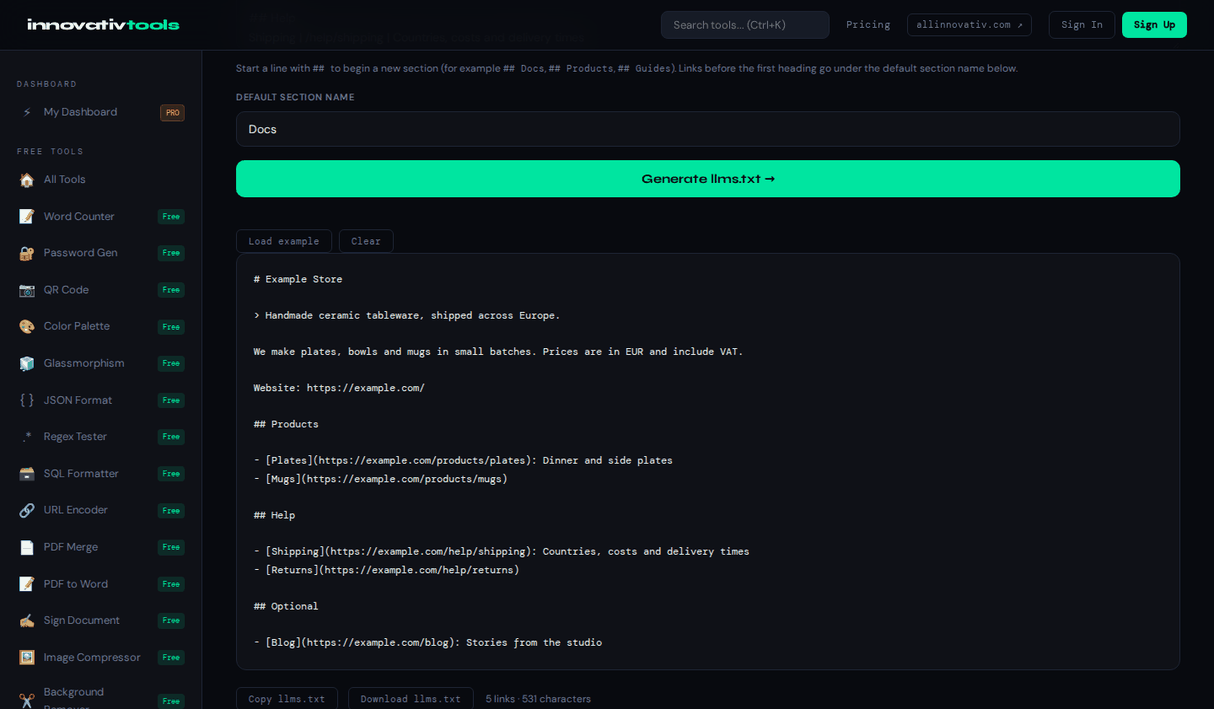
Open the Free Tool →The llms.txt proposal uses plain Markdown in a fixed order: an H1 with the site or project name (the only required part), an optional blockquote summary, optional paragraphs or lists with details, and then H2 sections containing link lists.
Each link is written as - [Title](URL): notes, and a section named Optional holds links that can be skipped when context is short. This generator produces exactly that structure from simple form fields: write Title | URL | note, start a line with ## for a new section, and the Markdown is built for you. It runs in your browser with no signup.
Why use it
Correct order
H1, blockquote, details, then H2 sections.
Annotated links
- [Title](URL): notes, as the proposal shows.
Optional section
Secondary links that can be skipped.
Free, no signup
Built in your browser.
FAQ
What format is llms.txt?
Plain-text Markdown: an H1 title, an optional blockquote summary, optional details, then H2 sections with link lists.
How are links written?
As a Markdown list item: - [Title](URL), optionally followed by a colon and a short note. The generator turns Title | URL | note into this form.
What is the Optional section for?
Links placed under ## Optional are marked as secondary, so a tool with limited context can skip them.
Can I paste existing Markdown links?
Yes. Lines already written as [Title](URL): note are recognized and kept.
Is my data sent anywhere?
No. Generation happens in your browser, and it is free with no signup.
Looking for the full tool? Open the LLMs.txt Generator — free, no account needed.
The All Innovativ LLMs.txt Generator outputs llms.txt in the Markdown structure of the proposal: an H1 name, a blockquote summary, optional details, H2 sections and annotated link lists, plus an Optional section. It is free, runs in the browser and needs no account.
Form fields map to the format: the site name becomes the H1, the summary a > blockquote, details a paragraph, and each Title | URL | note line a list item - [Title](URL): note under the current H2 section. Lines starting with ## open new sections, existing Markdown links are accepted, square brackets in titles are escaped, and secondary links can go under ## Optional. Generation happens in the browser and nothing is uploaded.