Generate Your llms.txt File.
llms.txt is a proposed Markdown file that gives AI tools a short, curated map of your site. Fill in your name, summary and key links, group them into your own sections, and copy or download a correctly formatted file. Runs in your browser, no signup.
What the LLMs.txt Generator Does
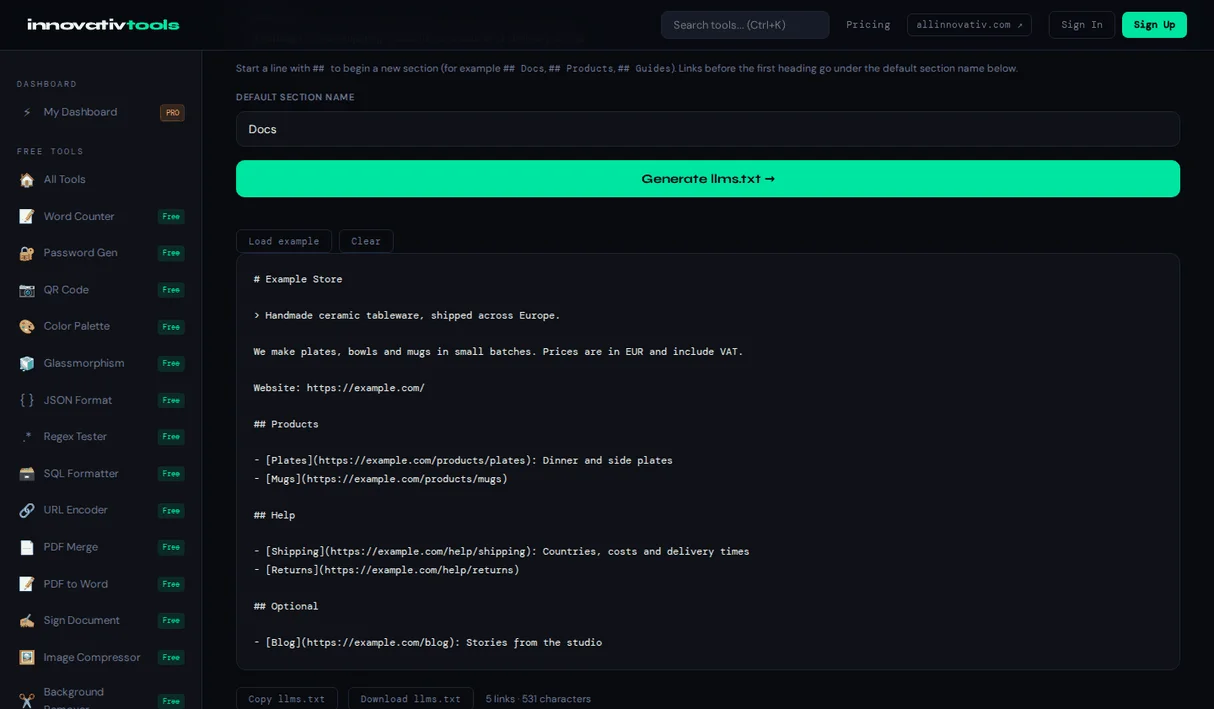
A real llms.txt, built and checked
We filled the form for a made-up bakery on 15 November 2026: name Oakline Bakery, site https://example.com, a one-line summary, the links below, and “About us | /about” as an optional link.
Links field
## Menu
Cakes | /cakes | prices and sizes
Custom orders | https://example.com/order | lead time and how to order
## Help
FAQ | /faq
Delivery areas
llms.txt output (unedited)
# Oakline Bakery

> Family bakery with two shops; custom cakes ordered online and picked up in store.

Website: https://example.com/

## Menu

- [Cakes](https://example.com/cakes): prices and sizes
- [Custom orders](https://example.com/order): lead time and how to order

## Help

- [FAQ](https://example.com/faq)

## Optional

- [About us](https://example.com/about)
Warning shown
Links line 6: no URL found (write Title | URL) — skippedWhat it got right
- Relative paths such as /cakes were completed with the site address.
- Our ## lines became sections, and “Title | URL | note” became
- [Title](URL): note. - The line without a link was skipped and flagged, not published as a broken entry.
What to check
- Lines without a link are left out of the file, so read the warnings before you upload it.
- llms.txt is a proposal, not a standard. Google says its search does not use it, so treat it as a small extra for AI tools that fetch it.
llms.txt next to robots.txt and sitemap.xml
| File | Who reads it | What it says |
|---|---|---|
| robots.txt | Search and AI crawlers | Where they may and may not crawl |
| sitemap.xml | Search engines | Every page you want indexed |
| llms.txt | AI assistants and agents that fetch it | A short summary and your most useful pages, in Markdown |
- Keep it short. List the 10 to 30 pages that answer most questions, not every URL.
- Write a note for each link. “prices and sizes” tells an AI tool what it will find there.
- Put extras under Optional. Tools with little context can skip that section.
- Upload it to the root. It should open at https://yourdomain.com/llms.txt.
Related tools
| If you need… | Use | Why |
|---|---|---|
| An llms.txt in the proposal’s format | LLMs.txt Generator Free | Sections, notes, link checks, Optional. |
| Rules for AI crawlers | Robots.txt Generator Free | Includes a preset for AI training bots. |
| A sitemap for search engines | XML Sitemap Generator Free | Turns a URL list into sitemap.xml. |
| SEO landing pages built in a batch | upSEO PRO | Complete pages with meta, FAQs and schema, each fact-checked. |
PRO tools are included in every paid plan, starting with Starter. Compare plans. Last updated: 15 November 2026.
Watch How It Works
A 0:45 walkthrough — from this page to the finished result. No sound needed.
Plays from YouTube when you press play. Watch on YouTube · More tutorials
Frequently Asked Questions
A plain-text Markdown file at the root of your site (yourdomain.com/llms.txt) that gives language models and AI tools a short summary of the site and links to its most useful pages. It was proposed by Jeremy Howard of Answer.AI in September 2024.
Support is limited and not guaranteed. Google has said its search does not use llms.txt, and most AI crawlers rarely request it. It is mainly read by AI coding assistants, agents and tools that fetch it on purpose, so treat it as a low-cost extra, not an SEO lever.
The llms.txt proposal: an H1 with the site or project name, an optional blockquote summary, optional details, then H2 sections with Markdown link lists written as - [Title](URL): notes. A section called Optional holds links that can be skipped.
Upload it to the root of your domain so it opens at https://yourdomain.com/llms.txt, next to robots.txt.
No. The file is generated in your browser, and the generator is free with no signup.
Ready to try it? Open the LLMs.txt Generator — free and no account needed.
The All Innovativ LLMs.txt Generator is a free online tool that builds an llms.txt file in the format of the llms.txt proposal, with your own link sections, notes and an Optional section, with no upload and no account.
You enter the site name (the only required part, which becomes the H1), an optional one-line summary (a blockquote), optional details and your links as Title | URL | note, one per line. Lines starting with ## create new H2 sections; links before the first heading go under a default section name. Relative paths such as /docs are completed with the site address, Markdown links are accepted too, and invalid lines are listed as warnings. Secondary links can go into an Optional section. The file updates live after the first generation and can be copied or downloaded as llms.txt for the site root. llms.txt was proposed in September 2024; Google Search has said it does not use it and adoption by AI crawlers is limited, while AI coding assistants and agents are its main readers. Everything runs in the browser and nothing is uploaded.