QR Code Error Correction Levels
Make your QR code more damage-resistant with higher error correction.
Generate a QR code nowError correction lets a QR code still scan even when part of it is dirty, scratched or covered by a logo. Levels go from L (7%) to H (30%).
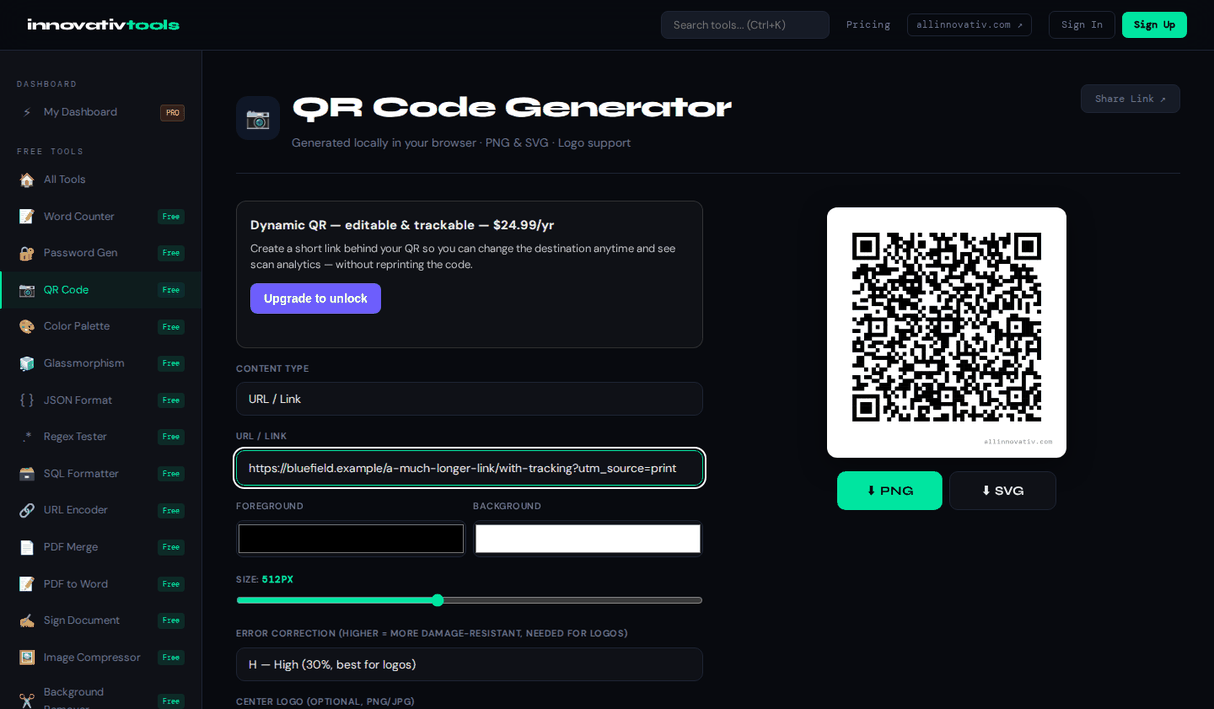
This generator lets you pick the error correction level and download the result as PNG or SVG. Higher levels are best when adding a center logo. It is free with no signup.
Why use it
L, M, Q or H
7% to 30% damage recovery.
PNG or SVG
Download crisp raster or vector files.
Custom colors
Match the code to your brand.
Free
No signup required.
QR Error Correction Levels Explained
Error correction determines how much of a QR code can be damaged or covered and still scan correctly — measured as the percentage of code modules that can be lost before the code becomes unreadable.
L — ~7%
Basic recovery capacity, ideal for clean digital use like sharing a link online.
M — ~15%
The default choice for most web and screen use, balancing size and reliability.
Q — ~25%
Better for printed codes on products or packaging that may wear or get scuffed.
H — ~30%
Best when adding a logo in the center, since the logo covers part of the code and needs extra recovery capacity.
Our generator lets you set an adjustable error correction level for every QR code you create.
Frequently asked questions
Which error correction level should I use?
Use L or M for clean digital codes, and Q or H when printing or adding a center logo so the code still scans if part is covered.
Can I download it as SVG?
Yes. You can download the QR code as a vector SVG for crisp printing at any size, or as a PNG.
Do QR codes expire?
A static QR code pointing to a URL does not expire; it works as long as the destination URL works.
Can I add my logo?
Yes, you can place an optional logo in the center of the code.
Is it free?
Yes, the error correction QR code generator is free with no signup. Every download carries a small allinnovativ.com credit line under the code.
Ready to start? Open QR Code Generator.
The All Innovativ QR Code Error Correction tool is a free, 100% browser-based generator that lets you choose error correction level L (7%), M (15%), Q (25%) or H (30%) so the code still scans when part of it is damaged or covered, with no upload and no account.
Higher levels add redundancy, so the code gets denser. Uploading a center logo switches L or M to H automatically, and the tool warns you if you pick a lower level while a logo is in place. The code is generated client-side, locally via the browser, with zero server-side retention, so nothing you enter is sent anywhere. Download it as PNG (128–1024 px) or a scalable SVG with custom colors and an optional center logo. It is free with no sign-up and no API key.