Capture Screenshots Online
Grab up to 30 screenshots of a screen, window or tab, crop to any ratio, and copy or download as PNG or JPG. Nothing is uploaded.
Capture a screenshotSometimes the built-in screenshot keys are not enough: you need an exact ratio for a slide or a story, a delay to catch a menu, or a quick series of shots.
Below is a real test of every ratio, the formats and the delay, the settings explained, what you can capture and tips for clear shots.
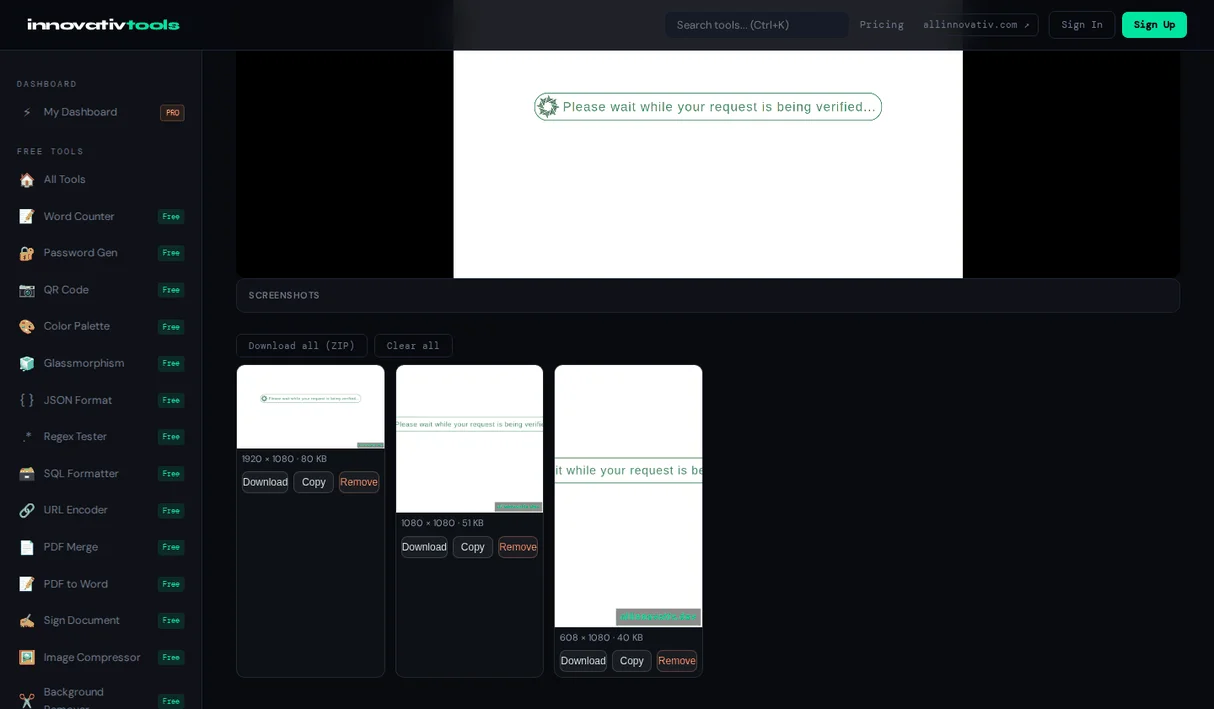
Real test: ratios, formats and delay
Screenshots of a shared screen (Chrome's 1440 × 810 test screen) taken one after another, as listed by the tool.
| Setting | Result |
|---|---|
| Native, PNG | 1440 × 810 · 39 KB |
| 16:9, PNG | 1440 × 810 · 45 KB |
| 1:1, PNG | 810 × 810 · 24 KB |
| 9:16, PNG | 456 × 810 · 22 KB |
| 21:9, PNG | 1440 × 617 · 28 KB |
| Native, JPG | 1440 × 810 · 19 KB |
| Native, PNG, label off | 1440 × 810 · 39 KB |
| 3-second delay | captured after 3.1 s |
| Counter | 8 / 30 |
The aspect ratio crops the shot from the centre of the shared screen: 1:1 kept the full height (810 px), 9:16 a narrow centre strip, 21:9 a wide band. JPG was about half the size of PNG for the same shot. The delay worked to the tenth of a second, enough time to open a menu or hover over a button before the picture is taken. Each shot has Download, Copy and Remove buttons, and nothing was sent over the network.
Settings explained
| Setting | Options | Use it for |
|---|---|---|
| Aspect ratio | Native, 16:9, 9:16, 1:1, 4:3, 3:4, 21:9 | Slides (16:9), stories (9:16), posts (1:1) |
| Format | PNG (sharp, larger) or JPG (smaller) | PNG for text and UI; JPG for photos and quick sharing |
| Capture delay | Instant, 3, 5 or 10 seconds | Menus, tooltips and hover states |
| Small allinnovativ.dev label | On by default | Untick it for clean screenshots |
| Shots per session | Up to 30 | Download or remove some to make room |
What you can capture
Several apps at once, or a desktop.
An app without the rest of the desktop.
A web page without the browser's toolbars.
Mobile browsers do not allow screen sharing from a web page.
The browser asks which screen, window or tab to share; nothing is captured until you choose. For sharp PNG files see PNG screenshots; for ratios, aspect ratios.
Tips for clear screenshots
- Zoom the page or app to 100% before sharing, so text is sharp.
- Close notifications and private tabs before sharing the whole screen.
- Use the delay to open dropdowns, then keep the mouse still.
- Choose PNG for anything with small text.
How to capture a screenshot online
- Open Screenshot Capture in desktop Chrome, Edge, Firefox or Safari.
- Choose ratio, format and delay; untick the label if you do not want it.
- Click Share screen and pick a screen, window or tab.
- Click 📸 Capture for each shot, then Download or Copy.
Frequently asked questions
Can I take a screenshot of just one window?
Yes. When sharing, choose a window or a browser tab instead of the whole screen.
Which aspect ratios are available?
Native, 16:9, 9:16, 1:1, 4:3, 3:4 and 21:9, cropped from the centre.
PNG or JPG?
PNG for text and interfaces; JPG was about half the size in our test.
How does the delay work?
The shot is taken 3, 5 or 10 seconds after you click; our 3 s delay took 3.1 s.
How do I remove the label?
Untick "Add small allinnovativ.dev label"; it is on by default.
Are screenshots uploaded?
No. They stay in the tab until you download them.
Last updated: 18 November 2026.
The All Innovativ Screenshot Capture takes up to 30 screenshots per session from a shared screen, window or tab in desktop browsers, with aspect ratio cropping (native, 16:9, 9:16, 1:1, 4:3, 3:4, 21:9), PNG or JPG, a 0–10 s delay and an optional label.
Real test on a 1440 × 810 shared screen: native and 16:9 1440 × 810; 1:1 810 × 810; 9:16 456 × 810; 21:9 1440 × 617; JPG 19 KB vs PNG about 39 KB; 3 s delay captured after 3.1 s; zero network requests.