Open Graph Tags for Blogs
Help every blog post earn clicks when it gets shared.
Generate your Open Graph tagsBlog traffic often comes from social shares, and the preview card decides whether people click. A post without Open Graph tags shares as a plain link, or with a random image from the page.
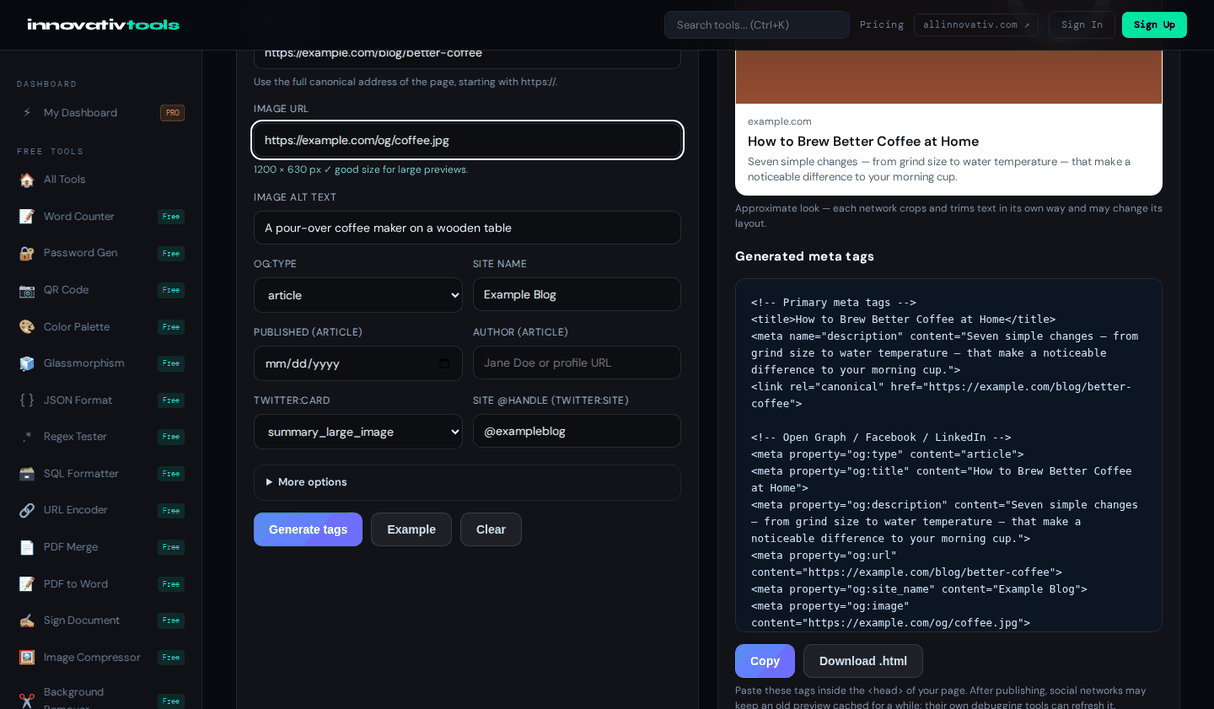
Set og:type to article and the generator adds article:published_time and article:author along with the title, description and image for each post. It checks the image size, counts title and description length, and previews the card for Facebook, X and LinkedIn. Most blogging platforms and SEO plugins let you set these tags for the page head. It is free and runs in your browser.
Why use it
Article tags
Published date and author for each post.
Per-post image
Checked for size and ratio.
Length counters
Titles and descriptions that fit.
Free
No signup required.
Frequently asked questions
Why do blog posts need Open Graph tags?
They control the title, description and image shown when a post is shared. Without them platforms guess, often picking the wrong image or none.
Which tags matter for articles?
og:type set to article, plus article:published_time and article:author, alongside the usual title, description, image and URL. The generator adds them when you choose article.
Can I set a different image per post?
Yes. Generate tags for each post with its own image. The tool checks that the image loads and is large enough.
Does my CMS support these tags?
Most do, either through a social preview field in an SEO plugin or by letting you add tags to the head. Make sure you do not end up with two conflicting sets.
Is it free?
Yes, it is free with no account.
Ready to start? Open the Open Graph Generator.
The All Innovativ Open Graph Generator for blogs builds per-post Open Graph and Twitter tags, including article:published_time and article:author, with an image check and live previews. It is free and runs in the browser.
Choosing og:type article adds article:published_time and article:author to the usual og:title, og:description, og:image and og:url. Each post can have its own image, which is loaded to check its size and ratio, and counters show when titles or descriptions are likely to be cut off. Twitter Card tags are generated alongside. If a CMS or SEO plugin already outputs Open Graph tags, duplicates should be avoided. Everything runs in the browser.