Focus Deeper with the Pomodoro Timer.
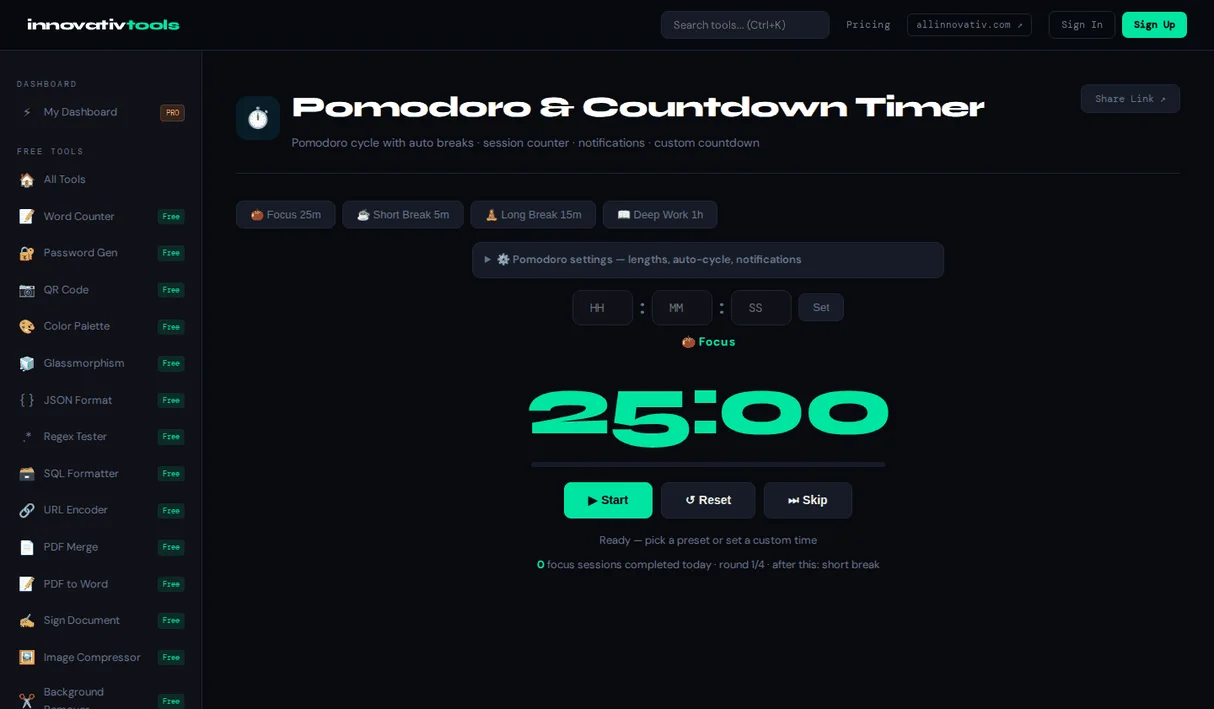
Free online Pomodoro and countdown timer. Set focus sessions, short breaks, and long breaks. Audio alerts keep you on track — no signup, works offline.
What Pomodoro & Countdown Timer Does
3 Steps to Get Started
What one Pomodoro cycle looks like
With the default settings, one full Pomodoro cycle looks like this. We worked it out from the timer’s presets: 25-minute focus, 5-minute short breaks, and a 15-minute long break after every 4 sessions.
| Block | Length | Running total |
|---|---|---|
| Focus 1 | 25 min | 0:25 |
| Short break | 5 min | 0:30 |
| Focus 2 | 25 min | 0:55 |
| Short break | 5 min | 1:00 |
| Focus 3 | 25 min | 1:25 |
| Short break | 5 min | 1:30 |
| Focus 4 | 25 min | 1:55 |
| Long break | 15 min | 2:10 |
That is 100 minutes of focused work in 2 hours 10 minutes. Start the next cycle after the long break, or stop there.
What the Pomodoro Technique is
The Pomodoro Technique is a time-management method from the late 1980s, named after the tomato-shaped kitchen timer (pomodoro is Italian for tomato) its creator, Francesco Cirillo, used. You work on one task until the timer rings, take a short break, and take a longer break after four rounds. The fixed rhythm makes it easier to start and harder to drift.
| Setting in this timer | Range |
|---|---|
| Focus | 1–180 min |
| Short break | 1–60 min |
| Long break | 1–90 min |
| Long break after | any number of sessions you choose |
| Separate countdown | any time up to 23:59:59, or the one-hour Deep Work preset |
Tips for better focus sessions
- Pick one task before you press Start. Write it down. If something else comes to mind, note it and go back to the task.
- Turn on browser notifications. The alert still fires when you switch tabs, and a notification shows even when the tab is in the background.
- Change the rhythm if 25 minutes is too short. Many people use longer blocks such as 50 minutes with a 10-minute break for writing or coding. Set them in Pomodoro settings.
- Let breaks start on their own, or not. The break starts automatically when the alert sounds; switch auto-start off if you want to decide yourself.
- Check today’s count. Completed focus sessions are counted in this browser, so you can see how many rounds you managed.
- Use it offline. Once the page has loaded, the timer keeps working without an internet connection.
Pair the timer with
| If you need… | Use | Why |
|---|---|---|
| Focus sessions with breaks, or a simple countdown | Pomodoro & Countdown Timer Free | Presets, audio alerts, session count, works offline. |
| To see how much you wrote in a session | Word Counter Free | Words, characters and reading time as you type. |
| More free tools for everyday work | Productivity tools Free | QR codes, passwords, word counts, screenshots and business calculators. |
| Meeting notes turned into tasks with owners and dates | Meeting Extractor PRO | For the meeting before your focus block: action items, decisions and a follow-up email. |
PRO tools are included in every paid plan, starting with Starter. Compare plans. Last updated: 15 November 2026.
Watch How It Works
A 0:57 walkthrough — from this page to the finished result. No sound needed.
Plays from YouTube when you press play. Watch on YouTube · More tutorials
Frequently Asked Questions
It's a time management method: work for 25 minutes, then take a 5-minute break. After 4 cycles, take a longer 15-30 minute break.
Yes. In Pomodoro settings you can set focus (1–180 min), short break (1–60), long break (1–90) and after how many sessions the long break comes. A separate countdown takes any time up to 23:59:59.
Yes. The countdown continues running in the background and the audio alert will still fire.
No — it runs entirely in your browser with no signup or download.
Yes, once the page loads it works completely offline.
Timing your writing sessions? Pair it with our Word Counter.
The All Innovativ Timer is a free, 100% browser-based Pomodoro and countdown timer that runs focus sessions, short breaks and long breaks with audio alerts — no signup, no account and works offline.
It runs client-side in the browser, so the countdown keeps ticking and the alert still fires even when you switch tabs, with zero server-side retention. Set any custom focus or break duration, or use the classic 25/5 Pomodoro cycle with a longer 15-30 minute break after four rounds. The cycle runs automatically and completed sessions are counted. Unlike cloud-based timer apps, there is nothing to install and no sign-up — once the page loads it works completely offline.
Ready to Try Pomodoro & Countdown Timer?
Free to use. No account required. Works instantly in your browser.
Open Pomodoro & Countdown Timer — Free →