URL Encoder
Percent-encode a whole URL or a single value so spaces, accents and symbols are safe in links. Free, in your browser. Real outputs for both modes below.
Encode a URLURLs may only contain a limited set of characters. Spaces, accented letters and symbols must be percent-encoded, but which parts to encode depends on whether you have a whole address or a single value.
Below is a real full URL encoded in both modes, why domain names are a special case, and a table of what to encode where.
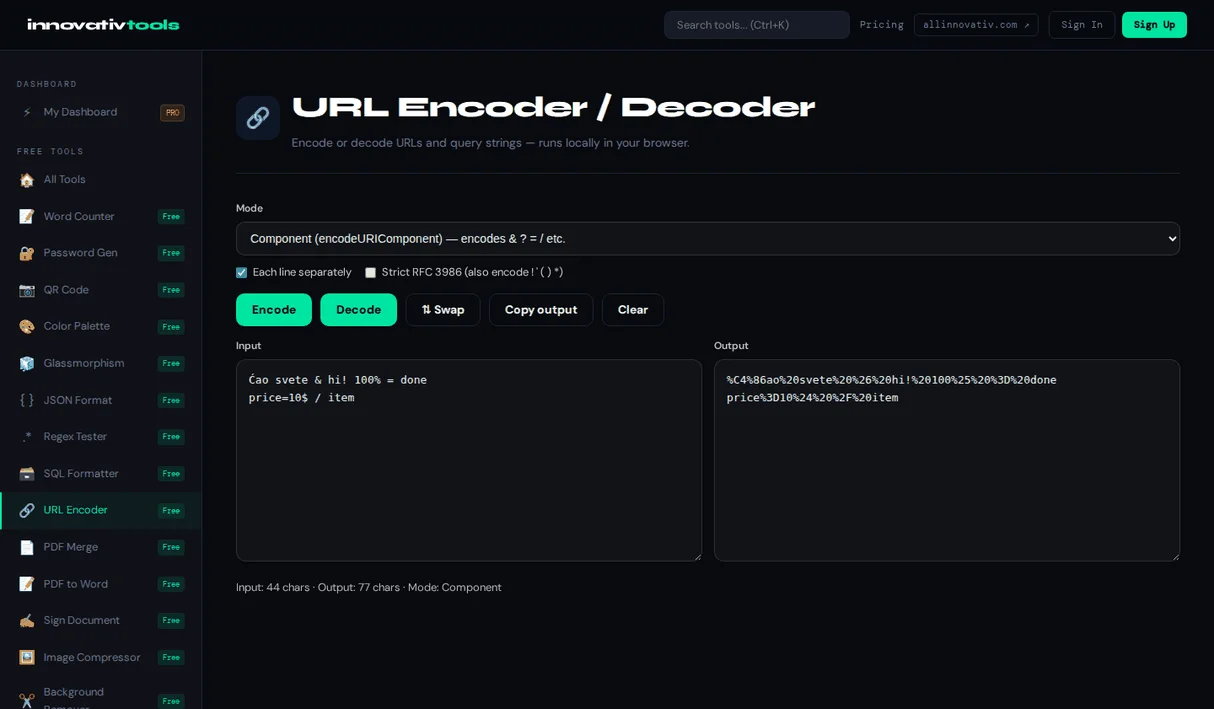
Real test: a full URL in both modes
One full address with a Serbian domain, spaces in the path and a query string, encoded in two modes.
Input
https://pekara-čačak.rs/meni za danas/?q=hleb i kifle&lang=sr#vrh
Full URI mode
https://pekara-%C4%8Da%C4%8Dak.rs/meni%20za%20danas/?q=hleb%20i%20kifle&lang=sr#vrh
Component mode
https%3A%2F%2Fpekara-%C4%8Da%C4%8Dak.rs%2Fmeni%20za%20danas%2F%3Fq%3Dhleb%20i%20kifle%26lang%3Dsr%23vrh
Full URI mode is the one for whole addresses: it encoded the spaces and the letters č, but left the structure alone, so ://, /, ?, &, = and # still work. Component mode encoded everything, including the slashes and the ?, which is right for a single value but turns a whole URL into one long string that is no longer a working link.
Domains are different: punycode, not %
Look at the domain in the Full URI result: pekara-%C4%8Da%C4%8Dak.rs. Percent-encoding is correct for paths and queries, but domain names with non-English letters use a different system, punycode. The same domain in punycode is:
xn--pekara-aak-sjbb.rs
Calculated with Python's IDNA encoder.
Browsers convert such domains for you when you type them, so in a link you can usually write the domain as is and encode only the path and query. In configuration files, emails and systems that only accept plain ASCII, use the xn-- form.
What gets encoded
| Part of the URL | Example | Encode? |
|---|---|---|
| Scheme and host | https://example.com | No (non-English domains: punycode) |
| Path segments | /meni za danas/ | Yes: spaces and special letters |
| Query keys and values | ?q=hleb i kifle | Yes, each value with Component mode |
| Separators | : / ? & = # | No, unless they are part of a value |
| Fragment | #vrh | Rarely needed |
The safest habit is to build URLs from parts: encode each path segment and each query value separately, then join them. See query string values for the value side.
How to encode a URL
- Open the URL Encoder.
- Choose Full URI for a whole address, Component for a single value.
- Paste the text and click Encode. Tick "Each line separately" to encode a list.
- Copy the output. The counter shows input and output length.
Encoding runs in your browser. To read an encoded link, use the URL decoder.
Frequently asked questions
Should I use Full URI or Component mode?
Full URI for a whole address, Component for a single value such as a query parameter.
Why did Component mode break my URL?
It encodes : / ? & = and #, so the whole address becomes one value. That is right for values, not for links.
How are letters like č encoded?
As UTF-8 bytes in percent form: č became %C4%8D in our test.
Can I percent-encode a domain name?
No. Domains with non-English letters use punycode, for example xn--pekara-aak-sjbb.rs.
Can I encode many lines at once?
Yes. Tick "Each line separately".
Is my URL sent anywhere?
No. Encoding runs in your browser.
Last updated: 18 November 2026.
The All Innovativ URL Encoder percent-encodes text in Full URI (encodeURI), Component (encodeURIComponent) or Form data mode, optionally per line and with strict RFC 3986, in the browser.
Real test: "https://pekara-čačak.rs/meni za danas/?q=hleb i kifle&lang=sr#vrh" kept its separators in Full URI mode (spaces → %20, č → %C4%8D) and became one encoded value in Component mode. Non-ASCII domains should use punycode (xn--pekara-aak-sjbb.rs), not percent-encoding.