Base64 Decoder
Decode Base64 to readable text or a downloadable file, and inspect JWT tokens with readable dates. Free, in your browser; nothing is uploaded.
Decode Base64When an API, a token or an email gives you a Base64 string, you need to see what is inside: text, JSON or a file.
Below is a real test of what the decoder accepts and rejects, how it handles JWT tokens, and how to recognise the type of decoded data.
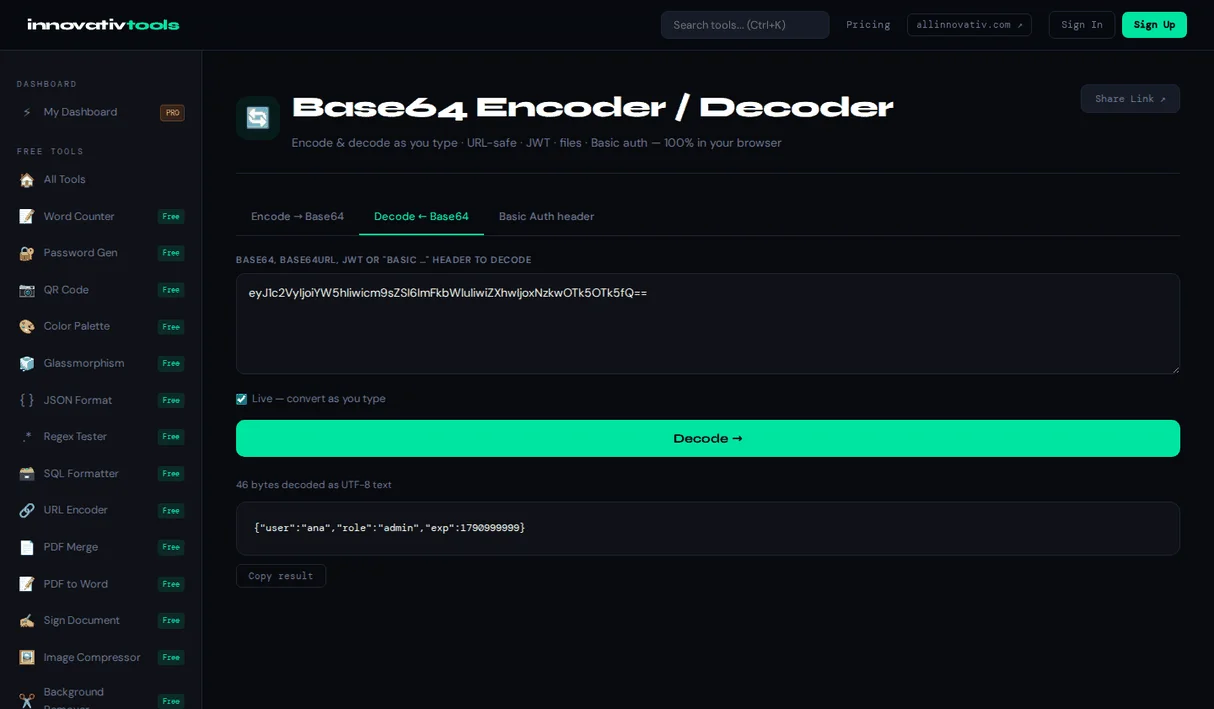
Real test: what the decoder accepts
Strings pasted into the Decode tab and what the tool reported.
| Input | Result |
|---|---|
SGVsbG8sIFdvcmxkIQ== | 13 bytes decoded as UTF-8 text: Hello, World! |
SGVsbG8sIFdvcmxkIQ (padding missing) | Same result: Hello, World! |
| The same split by spaces and a line break | Same result: whitespace is ignored |
xIxhxI1hayDinJMg8J+Nng== | 16 bytes decoded as UTF-8 text: Čačak ✓ 🍞 |
dXNlcjpwYXNzP3g9MSZ5PTIgPj4- (URL-safe) | user:pass?x=1&y=2 >>> |
| A 1 × 1 PNG image in Base64 | Binary data (70 bytes), first bytes 89 50 4e 47 (PNG), with Download decoded file |
SGVsbG8@@@ | ❌ Not valid Base64: characters outside A–Z, a–z, 0–9, + / - _ = |
The decoder is forgiving where it should be: missing padding, line breaks from emails and URL-safe characters all decode correctly. It is strict where it matters: characters that cannot be Base64 are reported instead of silently producing garbage. When the bytes are not valid text, it says "binary data", shows the first bytes in hex and lets you save the file.
Decoding JWT tokens
An example token (made up) pasted into the decoder.
eyJhbGciOiJIUzI1NiIsInR5cCI6IkpXVCJ9.eyJzdWIiOiIxMjMiLCJuYW1lIjoiQW5hIiwiZXhwIjoxNzk1MDAwMDAwfQ.abc
JWT detected — header and payload decoded (base64url). The signature is NOT checked.
HEADER  { "alg": "HS256", "typ": "JWT" }
PAYLOAD { "sub": "123", "name": "Ana", "exp": 1795000000 }
exp: 2026-11-18T11:06:40.000Z
A JWT is three base64url parts separated by dots. The tool recognises it, decodes the header and payload as formatted JSON, and turns timestamps such as exp into readable UTC dates, which is usually what you need when a login "suddenly" fails. It clearly does not verify the signature: decoding shows what a token claims, not whether it is genuine.
Recognise what you decoded
| Decoded starts with | It is probably |
|---|---|
| 89 50 4E 47 (or Base64 iVBORw0KGgo) | A PNG image |
| FF D8 FF (Base64 /9j/) | A JPEG image |
| 25 50 44 46, %PDF (Base64 JVBER) | A PDF document |
| 50 4B 03 04, PK (Base64 UEsDB) | A ZIP file, or .docx / .xlsx |
| {" or [ (Base64 eyI / eyJ, or W) | JSON, for example a JWT part |
Use Download decoded file for binary results and give the file the matching extension.
How to decode Base64
- Open the Base64 tool and switch to Decode.
- Paste the Base64 string or JWT. Spaces and line breaks are fine.
- Read the text, or download the decoded file if it is binary.
- Copy the result.
Decoding runs in your browser. That matters for tokens and credentials: pasting them into a server-side decoder hands them to someone else.
Frequently asked questions
Can it decode Base64 without = padding?
Yes. SGVsbG8sIFdvcmxkIQ decoded to Hello, World! in our test, the same as with ==.
Does it handle URL-safe Base64?
Yes. Strings with - and _ decode correctly.
What if the result is not text?
The tool shows "binary data" with the first bytes in hex and lets you download the decoded file.
Can I decode a JWT?
Yes. It decodes the header and payload, shows exp as a UTC date, and states that the signature is not checked.
Why does it say "Not valid Base64"?
The input contains characters that Base64 never uses, such as @. Check that you copied the whole string.
Is my token sent anywhere?
No. Decoding runs in your browser.
Last updated: 18 November 2026.
The All Innovativ Base64 decoder decodes standard and URL-safe Base64 to UTF-8 text or downloadable binary, ignoring whitespace and missing padding, and detects JWTs (header and payload decoded, exp shown as UTC, signature not verified), in the browser.
Real test: SGVsbG8sIFdvcmxkIQ== and the unpadded version both gave Hello, World!; whitespace was ignored; xIxhxI1hayDinJMg8J+Nng== gave Čačak ✓ 🍞; a PNG gave binary data (70 bytes, 89 50 4e 47); "SGVsbG8@@@" was rejected as not valid Base64.