Encode & Decode Base64 Instantly.
Free online Base64 encoder and decoder. Encode text to Base64, or decode Base64 strings back to plain text — perfect for APIs, tokens, and auth headers.
What Base64 Encoder / Decoder Does
3 Steps to Get Started
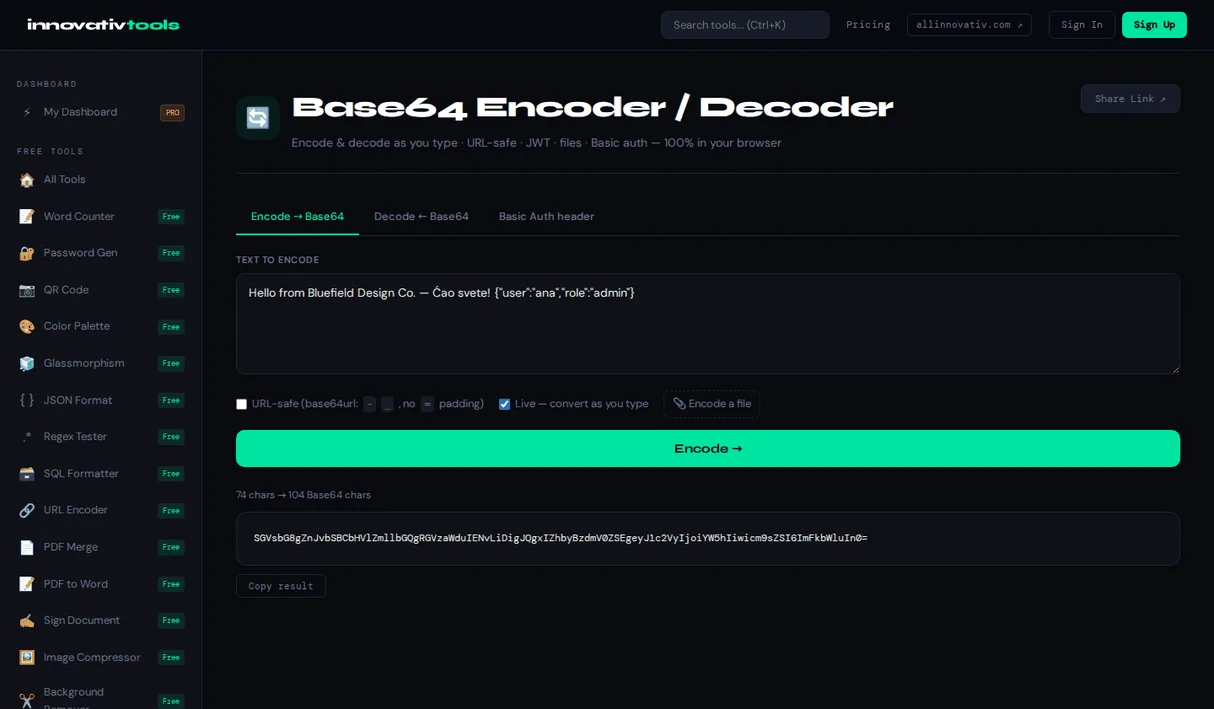
A real encode, checked
We encoded a short text with an em dash and an emoji on 15 November 2026, then decoded the result ourselves to check it.
Input
Oakline Bakery — cakes 🎂Output
T2FrbGluZSBCYWtlcnkg4oCUIGNha2VzIPCfjoI=What it got right
- The em dash and the emoji survived: decoding the output gives back exactly the same text.
- The text was encoded as UTF-8, which is what web pages, APIs and email expect.
- No button needed; the result updates as you type.
What to check
- The 29 bytes of text became 40 Base64 characters. Base64 is always about a third bigger than the original.
- The tool counted the input as 25 characters because an emoji takes two positions inside the browser; the encoding itself is correct.
What Base64 is for, and what it is not
Base64 is encoding, not encryption. Anyone can decode it in a second, so never use it to hide passwords or personal data.
| Where you meet it | What to do here |
|---|---|
Images inside CSS or HTML (data: URIs) | Paste the data: URI to decode it, or encode a file up to 10 MB |
| HTTP Basic Auth headers | Build the header from a username and password |
| JWT tokens | Paste the token to read its header and payload as JSON |
| URLs and file names | Turn on URL-safe mode: + becomes - and / becomes _ |
Related free tools
| If you need… | Use | Why |
|---|---|---|
| Text or files to and from Base64 | Base64 Encoder / Decoder Free | UTF-8, URL-safe mode, JWT and Basic Auth. |
| Special characters made safe in a URL | URL Encoder Free | Percent-encoding for links and query strings. |
| A decoded JWT payload formatted | JSON Formatter Free | Formats and validates JSON. |
| A strong password before you build a Basic Auth header | Password Generator Free | Random passwords from the browser’s crypto API. |
Last updated: 15 November 2026.
Watch How It Works
A 0:45 walkthrough — from this page to the finished result. No sound needed.
Plays from YouTube when you press play. Watch on YouTube · More tutorials
Frequently Asked Questions
Base64 is used to encode binary data for transmission over text-based systems — like encoding images in CSS, handling JWT tokens, or HTTP Basic Auth headers.
No. Base64 is encoding, not encryption — it is not secure for hiding sensitive data. Anyone can decode it.
Yes. The encoder handles all Unicode characters correctly using UTF-8 encoding.
No. Everything runs locally in your browser — no data is ever transmitted.
URL-safe Base64 replaces + with - and / with _ to make the encoded string safe for use in URLs and filenames.
Encoding URLs instead? Use the URL Encoder.
The All Innovativ Base64 Encoder & Decoder is a free, 100% browser-based tool that converts text to Base64 and decodes Base64 back to plain text — with no upload, no account and no API key.
It runs every encode and decode operation client-side, locally via the browser, so your input is processed on your own device and never transmitted to a server — zero server-side retention. It handles all Unicode characters correctly via UTF-8 supports URL-safe Base64 and files up to 10 MB, and decodes JWTs into readable JSON, making it handy for JWT tokens, HTTP Basic Auth headers and embedding data in CSS. Unlike cloud-based converters, nothing leaves your device and there is no sign-up and no API key. Note that Base64 is encoding, not encryption, so it should not be used to hide sensitive data.
Ready to Try Base64 Encoder / Decoder?
Free to use. No account required. Works instantly in your browser.
Open Base64 Encoder / Decoder — Free →