Format and Beautify SQL
Paste any query or script and get clean, indented SQL with consistent keyword case, in your browser. Free, no signup.
Format SQLFormatting SQL means laying it out so its structure is visible: one clause per line, nested queries indented, conditions lined up. It makes queries easier to read, review and fix.
Below are real outputs for six kinds of statement, how scripts and DDL are handled, the indent options, and what a formatter does not do.
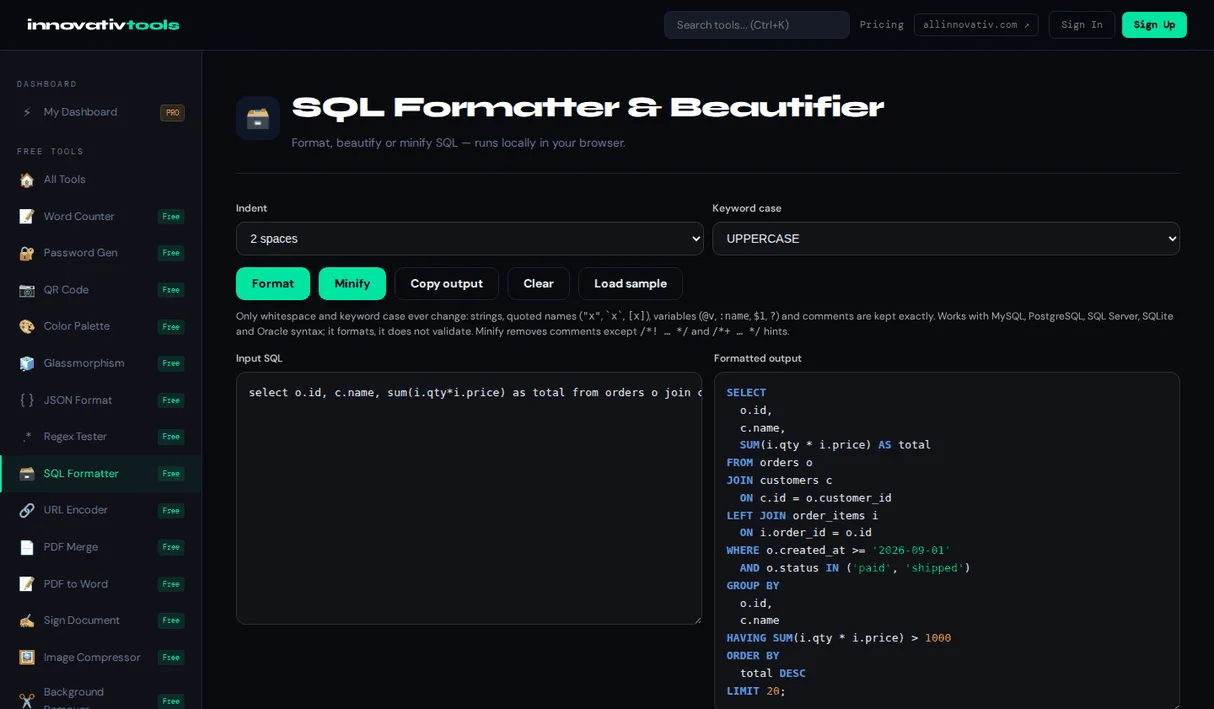
Real test: more than SELECT
Six kinds of statement formatted with the defaults (2 spaces, UPPERCASE).
CTE with a join
WITH recent AS (
  SELECT
    *
  FROM orders
  WHERE created_at > now() - INTERVAL '30 days'
)
SELECT
  u.id,
  COUNT(o.id) AS n
FROM users u
LEFT JOIN recent o
  ON o.user_id = u.id
GROUP BY
  u.id
CASE and a window function
SELECT
  id,
  CASE
    WHEN total > 100 THEN 'big'
    WHEN total > 10 THEN 'mid'
    ELSE 'small'
  END AS size,
  row_number() OVER (PARTITION BY country ORDER BY total DESC) AS rk
FROM orders
Subqueries in IN and EXISTS
SELECT
  *
FROM users
WHERE id IN (
  SELECT
    user_id
  FROM orders
  WHERE total > 100
)
  AND EXISTS (
    SELECT
      1
    FROM bans b
    WHERE b.user_id = users.id
  )
INSERT with ON CONFLICT and RETURNING
INSERT INTO users(id, name, email)
VALUES (1, 'Ana', 'ana@x.rs'),
  (2, 'Marko', 'marko@x.rs')
ON CONFLICT (id) DO UPDATE
SET
  name = excluded.name
RETURNING
  id
UPDATE and DELETE
UPDATE orders
SET
  status = 'shipped',
  shipped_at = now()
WHERE id = 42
DELETE FROM sessions
WHERE expires_at < now()
Each subquery is indented one level deeper and closed on its own line, each WHEN of a CASE gets its own line, and the window function stays on one line so it reads as one expression. The sample button in the tool loads a similar query with a CTE, a window function and a CASE to try.
Several statements and DDL
Two statements in one input, and a CREATE TABLE.
SELECT
  1;

SELECT
  2;
CREATE TABLE users(
  id BIGINT PRIMARY KEY,
  email VARCHAR(255) NOT NULL UNIQUE,
  created_at TIMESTAMP DEFAULT now()
)
Statements separated by semicolons are formatted one after another with a blank line between them, so a whole migration or script can be pasted at once. CREATE TABLE puts each column and constraint on its own line, which makes long table definitions easy to review.
Indentation options
| Indent | Inner SELECT of the CTE starts with | Good for |
|---|---|---|
| 2 spaces (default) | SELECT | Compact layouts and diffs |
| 4 spaces | SELECT | Teams that use 4 spaces in their code |
| Tab | a tab character | Editors where each person sets the tab width |
We formatted the same CTE in all three modes; only the indentation differed.
What formatting does not do
A query with "selec … form … wher" came back unchanged and without an error. Run it in your database to validate it.
Only whitespace and keyword case change; strings, comments and names stay as written.
MySQL, PostgreSQL, SQL Server, SQLite and Oracle syntax all format the same way.
The formatting runs in your browser.
How to format SQL
- Open the SQL Formatter and paste a query or a script.
- Choose indent (2, 4 or tab) and keyword case.
- Click Format, then Copy output.
For a single long query from a log, see beautify SQL; to go the other way, minify SQL.
Frequently asked questions
Can it format CTEs and subqueries?
Yes. WITH queries and subqueries in IN and EXISTS are indented one level per nesting.
Does it format INSERT, UPDATE and DELETE?
Yes, including ON CONFLICT … DO UPDATE and RETURNING.
Can I paste several statements?
Yes. Statements separated by semicolons are formatted with a blank line between them.
Is CREATE TABLE split into one column per line?
Yes. Each column and constraint goes on its own line, indented, with the closing bracket on its own line.
Will it tell me if my SQL has an error?
No. It formats only; a misspelled query came back unchanged without an error.
Is it free and private?
Yes. No signup, and your SQL stays in your browser.
Last updated: 18 November 2026.
The All Innovativ SQL Formatter lays out SELECT (with CTEs, CASE, window functions and subqueries), INSERT, UPDATE, DELETE and multi-statement scripts with 2-space, 4-space or tab indentation and selectable keyword case, in the browser.
Real tests: CTE and IN/EXISTS subqueries indented one level per nesting; CASE with one WHEN per line; window function kept on one line; INSERT … ON CONFLICT (id) DO UPDATE SET … RETURNING formatted; two statements separated by a blank line; CREATE TABLE split into one column per line; misspelled SQL returned unchanged without an error.